Release notes
Spacemaker is live — reclaim your Mac's disk space, safely
Our thirteenth app is our first for the Mac. Spacemaker is on the Mac App Store, and it answers the question every developer's MacBook eventually forces: where did all my disk space go? It shows you exactly that — and helps you take it back without the pit-in-your-stomach feeling of deleting the wrong thing.
We built it because we kept hitting "Your disk is almost full" mid-build, and the existing cleaners either wanted to delete things aggressively or hid what they were doing. Spacemaker's rule is the opposite: nothing is ever deleted outright. Everything you pick lands in a Review Queue, and one confirmation moves it to the Trash — where Finder can still restore it.
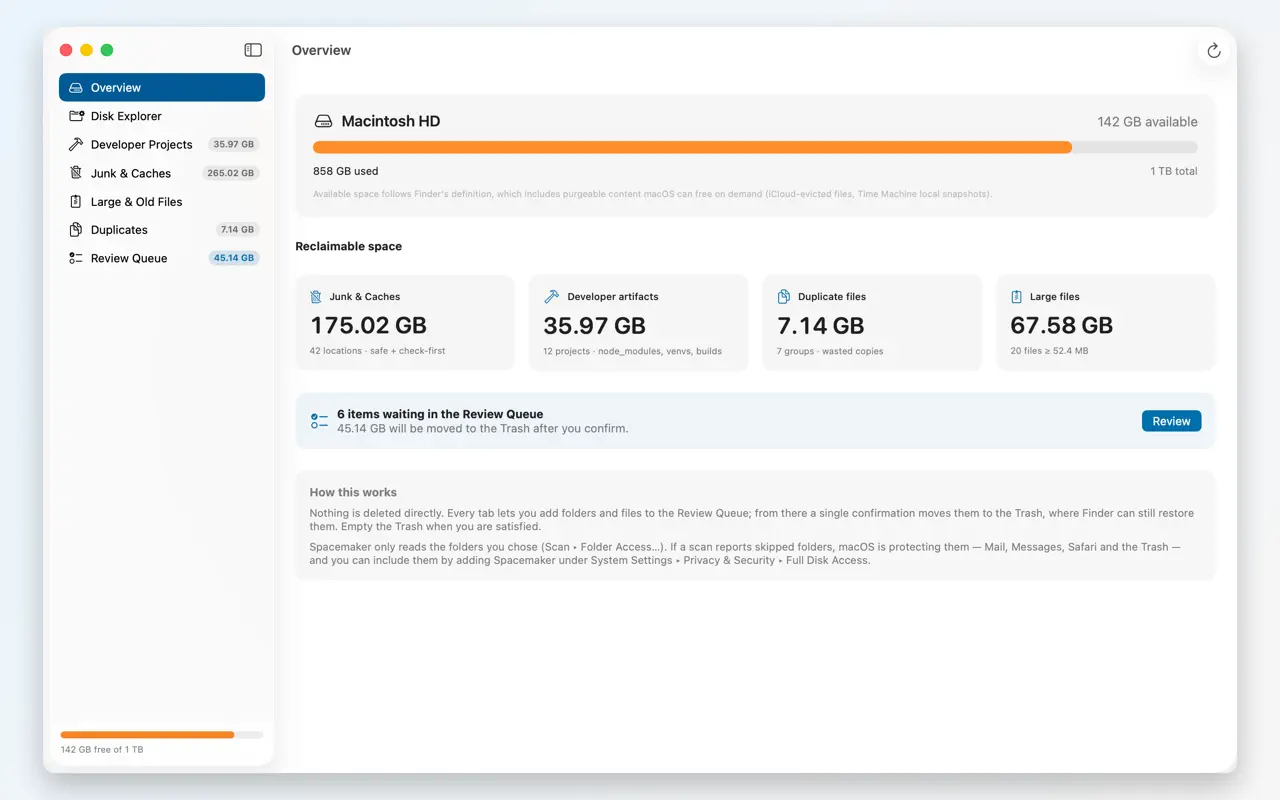

It knows where developers hide bytes
Spacemaker understands the caches a coding Mac accumulates: Xcode DerivedData, archives and device-support symbols, every iOS Simulator, VS Code and Cursor caches, and the package caches of npm, pnpm, yarn, bun, pip, uv, Poetry, conda, Homebrew, Gradle, Maven, Cargo, Go, CocoaPods and SwiftPM — plus Docker, Colima, OrbStack and VM images, iPhone backups, per-app caches, logs and crash reports. It also scans your coding projects for the regenerable folders (node_modules, build, target, .venv) that quietly eat gigabytes, and finds large files and duplicates.
Safe by design
Every item is labelled Safe to remove, Check first, or Review only, so you're never guessing about what a cache is. And because removal means "move to Trash," the undo is the one you already know.
A disk cleaner should make you feel calmer, not braver. Nothing leaves without your confirmation, and nothing skips the Trash.
Private, like the rest of the family
Spacemaker reads file information only on your Mac to build its picture of your storage. It has no account and no server of ours; your file lists and scan results are never uploaded, and Airus Solutions doesn't receive them. It grants itself nothing — you approve the folder access it needs in System Settings, and can revoke it there.
Try SpacemakerReclaim your Mac's disk space, safely — on the Mac App Store.
Mac App Store ↗